
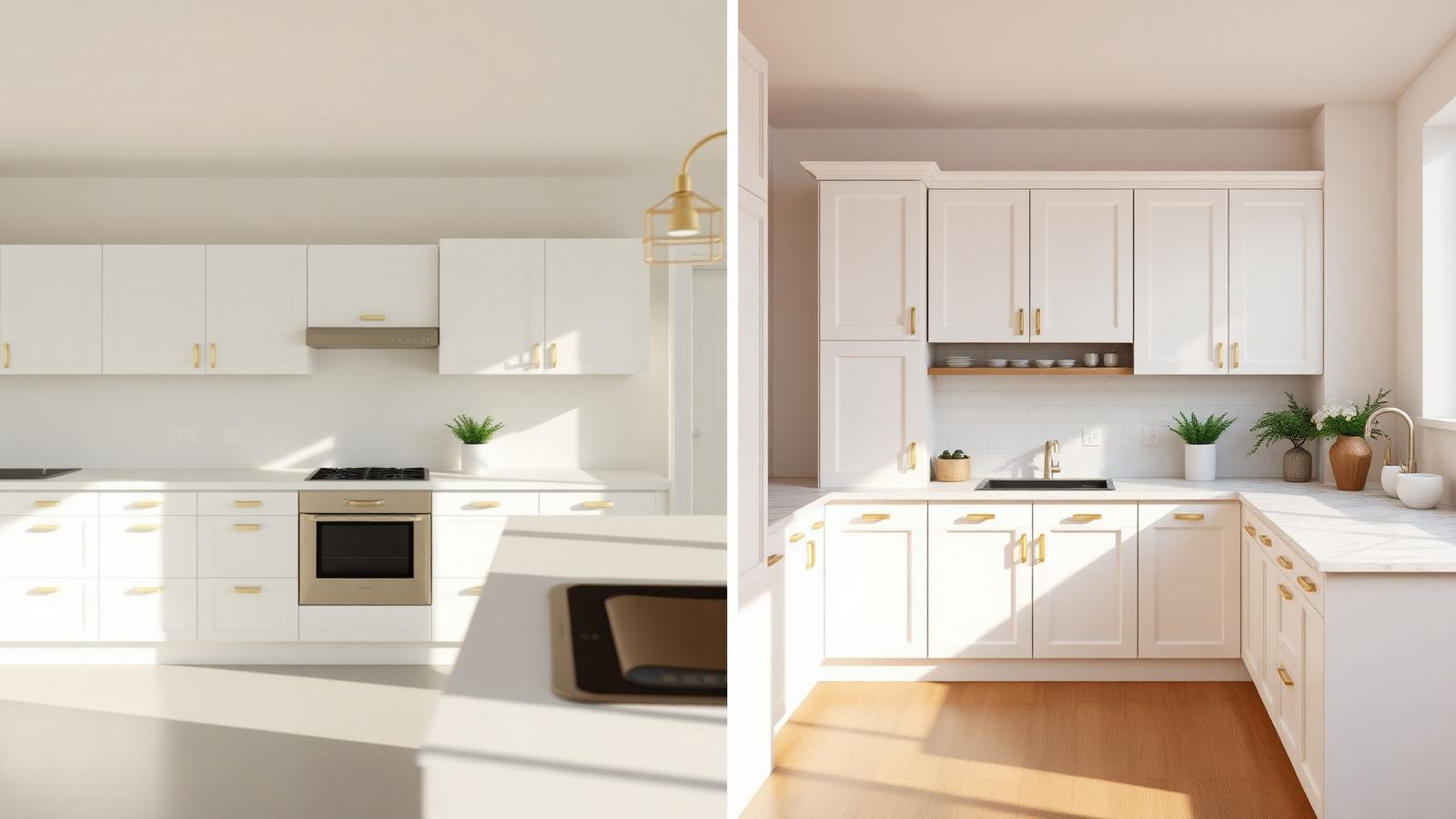
Why the IKEA Kitchen Planner stops short
The IKEA Home Planner is a great spec tool. You can dial in SEKTION frame sizes, METOD configurations, door styles like BODBYN, AXSTAD, SAVEDAL or VOXTORP, and walk away with a clean shopping list. What it doesn't do is sell the project. The default visuals are flat, evenly lit, and unmistakably "planner art" — fine for the warehouse, not for a $40k–$120k contract proposal.
When a homeowner is choosing between two contractors, the one who presents a photorealistic render of their kitchen — same layout, real materials, real light — wins. That's the gap this guide closes.
The 3-step workflow
- Step 1
Export from the IKEA Kitchen Planner
In the IKEA Home Planner, open File → Print/Save as PDF and tick the 2D plan view, the elevations, and the 3D snapshot. Five pages is plenty. If you can also screenshot the parts list, include it — it confirms door style and finishes so we don't guess.
- Step 2
Upload during intake and pick the upgrades
Start a project and drop the PDF in. Tell us what's actually getting installed: quartz vs. butcher block, brushed brass vs. matte black hardware, oak vs. LVP flooring, paint color of the walls, and the time of day you want to convey (golden morning sells warmth, evening with pendants sells "entertaining").
- Step 3
Get a 4K render in 48 hours
We rebuild the kitchen as a true 3D scene (not a filter over your PDF), light it physically, and deliver two 4K hero angles plus a presentation-ready PDF. One round of revisions is included so you can swap a countertop or rotate a camera before the client meeting.
What gets matched 1:1 — and what gets upgraded
Matched to your planner
- SEKTION / METOD frame layout and dimensions
- Door style (BODBYN, AXSTAD, SAVEDAL, VOXTORP, etc.)
- Cabinet widths and stack heights
- Appliance placement and sizing
- Island geometry and overhangs
Upgraded for the proposal
- Real countertop material with accurate veining
- Hardware finish and lighting fixtures
- Tile / backsplash, flooring, wall paint
- Physical lighting (daylight, dusk, pendants)
- Styling: greenery, ceramics, cookware
When to use this vs. the IKEA viewer
Use the IKEA Kitchen Planner's built-in 3D for internal validation — checking clearances, deciding on a door style, confirming the parts list. Use a Rendering Agency 4K render for any client-facing moment: the proposal PDF, the Instagram before/after, the Houzz listing, the showroom screen. The planner is a CAD tool; the render is a sales tool.
FAQ
Can you render directly from an IKEA Kitchen Planner file?+
Yes. Export your design as a PDF or 2D/3D screenshot from the IKEA Home Planner and upload it during intake. We rebuild it as a true 3D scene and deliver a 4K photorealistic render in 48 hours.
How accurate is the render compared to the actual IKEA cabinetry?+
We match SEKTION/METOD frames, door styles (SAVEDAL, AXSTAD, BODBYN, VOXTORP, etc.) and standard widths 1:1. Hardware, countertops, backsplash, flooring, and lighting are upgraded to the materials you actually plan to install.
What do I get back?+
Two 4K still renders from key angles, plus a presentation-ready PDF with materials called out. Add-ons available: dusk lighting, walkthrough video, and 360° spin.
Do you work with other planning tools?+
Yes — Lowe's Virtual Kitchen Designer, Home Depot Kitchen Planner, SketchUp, Chief Architect, 2020 Design, and hand-drawn napkin sketches all work. PDF or photo is enough.
Bring your IKEA planner PDF. Walk away with a 4K render.
Upload your IKEA Kitchen Planner export during intake. One round of revisions included. Pricing starts at the Single Room package.
Questions? 3D@renderingagency.com